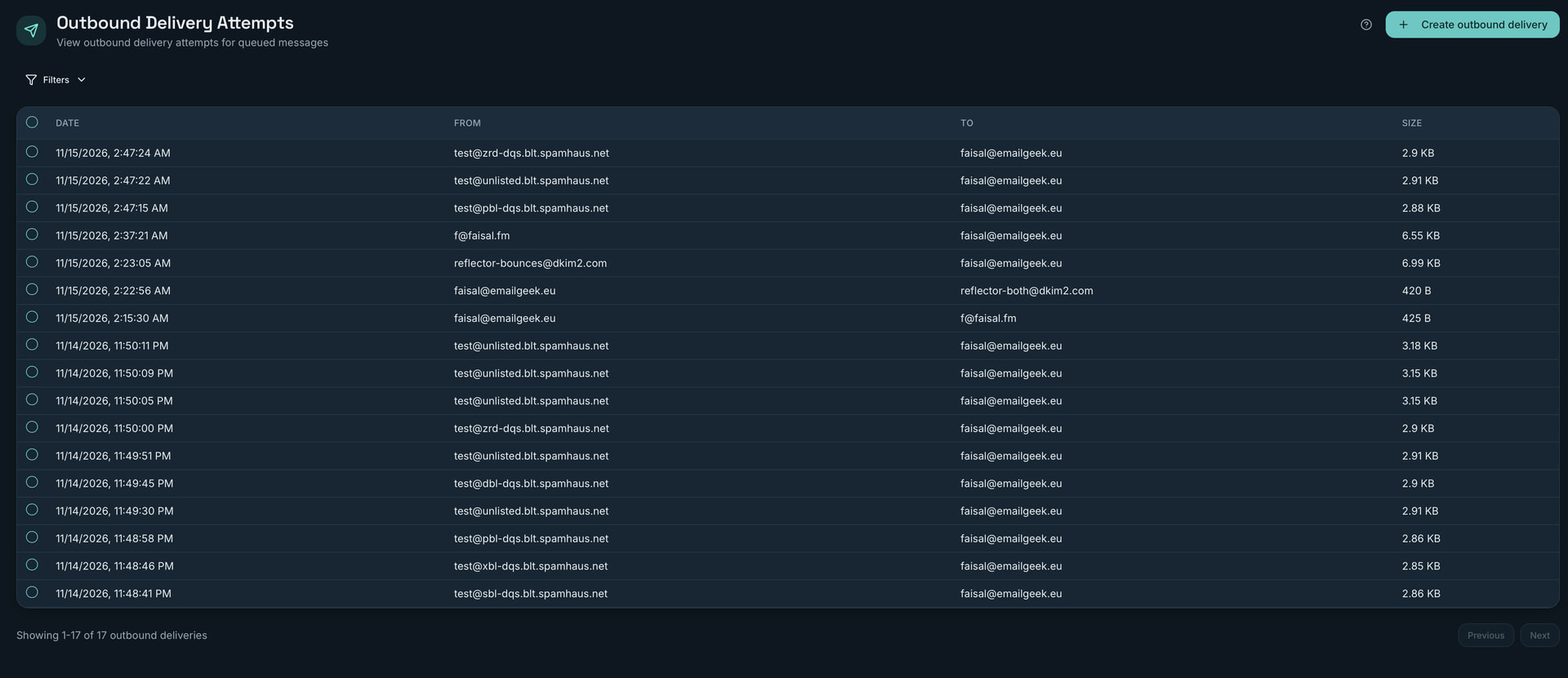
Side note: Where can I see what spam rules a message hit in the console (I know they’re in the headers) - I was expecting to see them in the trace of the delivery history.
Thanks Faisal, good catch. The filter isn’t the problem. The two lists record the wrong things: “inbound” is every SMTP session that got as far as MAIL FROM, so mail your clients send over 587/465 lands there too. “Outbound” is every queue delivery attempt, and mail delivered to your own mailboxes goes through the queue as well. I’ll change both lists so they leave out your own submissions and local deliveries by default, with a filter to bring them back.
On spam rules: you’re right, they aren’t in the trace yet, only the final verdict in some cases. For now, Management › Actions › “Spam Filter: Classify a message” with the raw message shows each rule and its score, though it runs the filter again now rather than showing what happened at the time. I’ll add the rule hits to the inbound trace in the same fix.
Awesome, thank you! That’ll be super helpful. For stuff like this where they’re potential bugs (rather than how to questions), do you prefer discussions here or issues in git?
Issues in git with as much detail, logs, screenshots or output are the most helpful for sure, plus it’s an easier for me to give you contributor credit if you submit patches, etc.
Hi Faisal, this is in 27.1-rc.23 with Admin 27.1-rc.17. Inbound now shows only mail received from other servers, and Outbound only remote deliveries. The Show filter brings back mail your users send and local deliveries. Each inbound trace also has a spam.result line with the verdict, score and the rules that hit.